Enhance Classroom Instruction with Kite
Build student confidence on the platform where they will take their summative assessments. As part of the PRISM project, new Kite tools are in development with the goal of helping teachers in their daily instruction. Access student performance data in real time to inform your day-to-day classroom instruction.
Kite provides all the tools and resources you will need to begin using Mini Tests. Get started in Kite Educator Portal, our secure, web-based assessment administration platform.
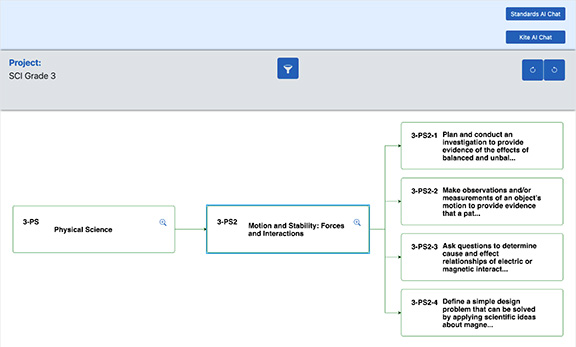
Visualizer
Build Mini Test forms aligned to standards with the new Kite Visualizer tool. Access Visualizer through EP while you are building mini test forms to view adjacent skills, cross subject connections, and instructional resources.
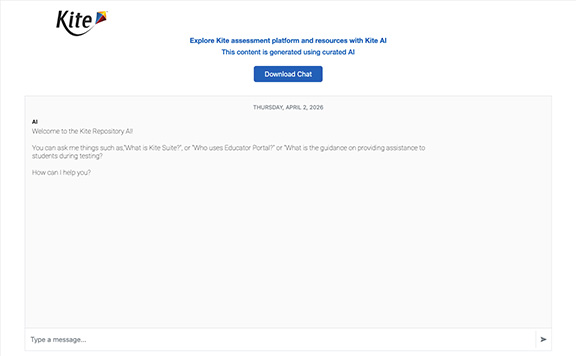
AI Chat Bots
Two AI chats are available to answer questions and provide additional information:
- a standards AI chat that answers questions about the academic standards
- a Kite AI Chat that answers questions about using the Kite System
These chats are powered by artificial intelligence and leverage a curated collection of resources. Both chats are designed to help you quickly locate reliable information without needing to search through manuals.
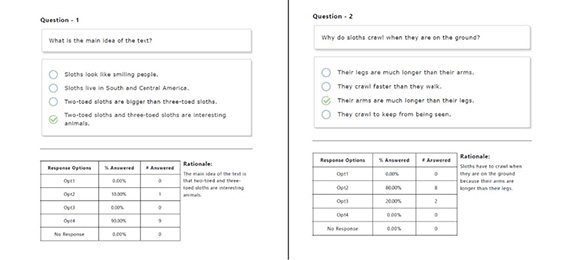
Feedback Report
Use the Feedback Report for guided review and student reflection before and after answer keys are shown. Used with Review Test in Student Portal for all-class review.